In this article
Global Rework (one rework operation per work order)
Rework by Manufacturing Operation (rework can be set for each manufacturing operation in the routing)
Global Rework
How this works: One rework sequence can be assigned to a work order.
In the following example, this work order has a manufacturing routing of Picking > Machining > Assembly > Test > Audit.
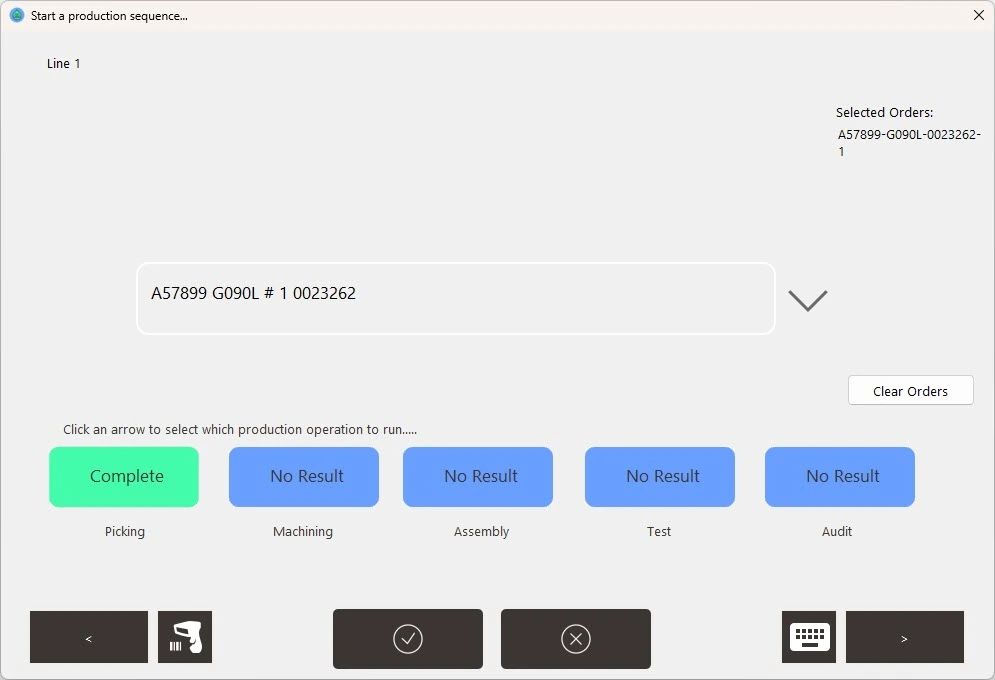
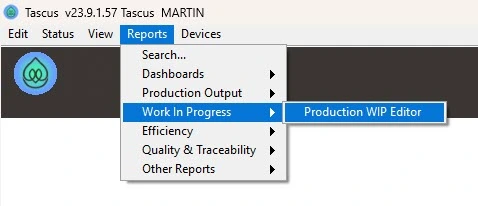
I can assign global rework to this work order in the Reports > WiP Editor screen,
Click on the order, and selecting a Overall Status = Rework on the Status tab.
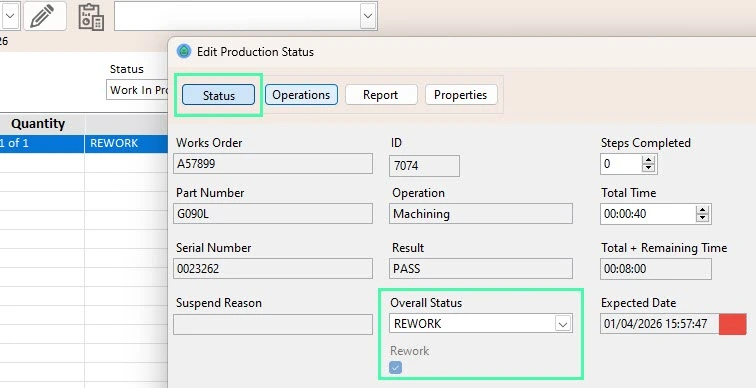
When the work order is reselected, the routing will change to now only show Rework.
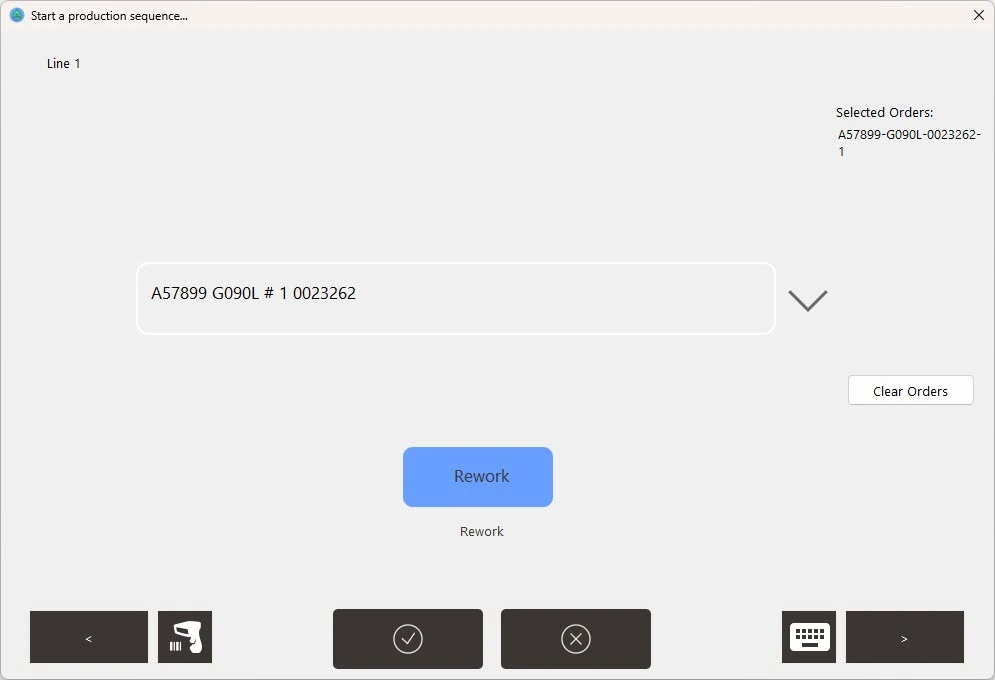
When all steps in this rework sequence are completed, the global rework flag will be removed.
Caution: If Global rework is applied to a work order more than once, there is a chance the rework flag will be removed early.
Rework by Manufacturing Operations
How this method works: A rework sequence can be assigned to each manufacturing operation in a product's routing for each work order. Use this when rework needs to be assigned multiple times at different operations.
How to Configure Rework
In Reports > WiP Editor screen, go to the Operations tab. Change Status to Rework and select a Rework Sequence.
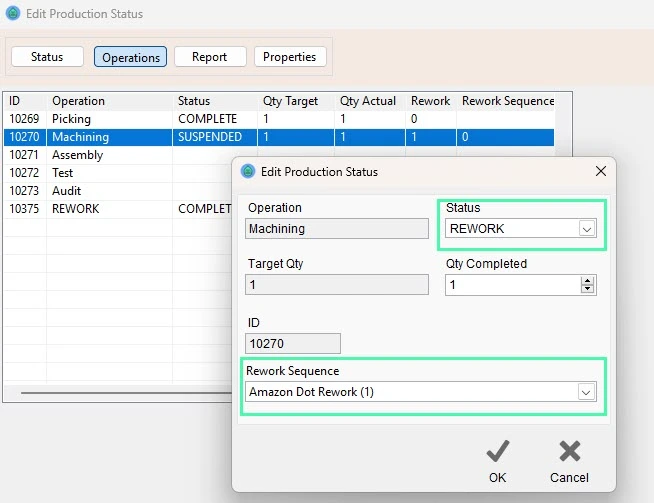
When the work order is next selected, the status of that manufacturing operation will change to Rework. This will then run the Rework Sequence you selected.
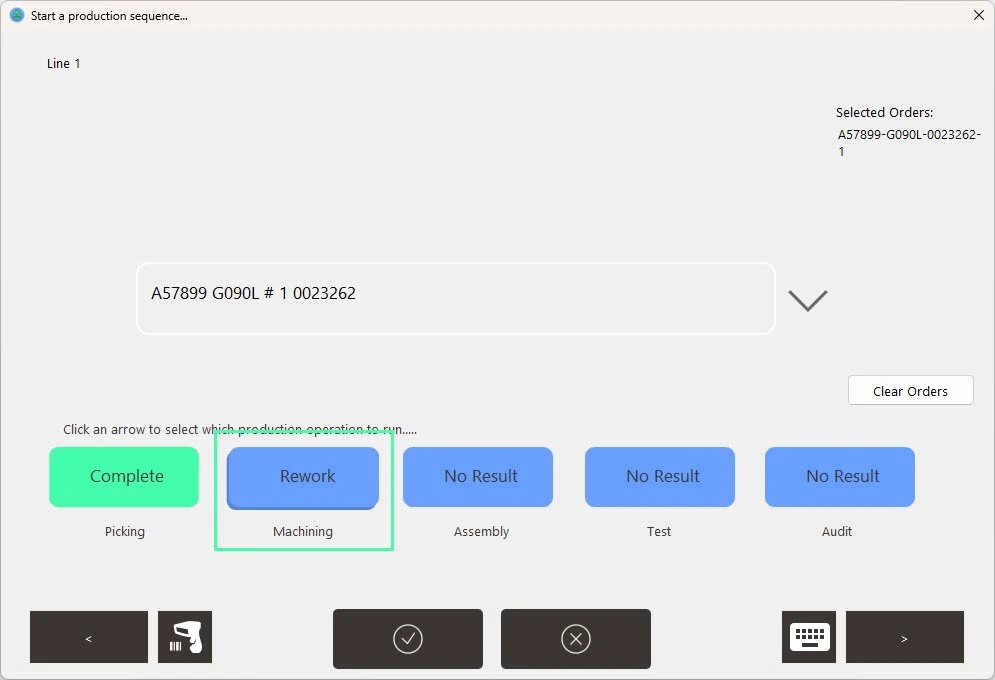
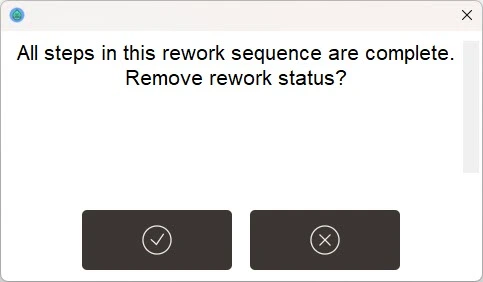
Pausing and resuming the operation should not remove the Rework flag, this should only be removed when all steps in the rework sequence are completed.
A box will be displayed asking the operator to confirm removing rework status.
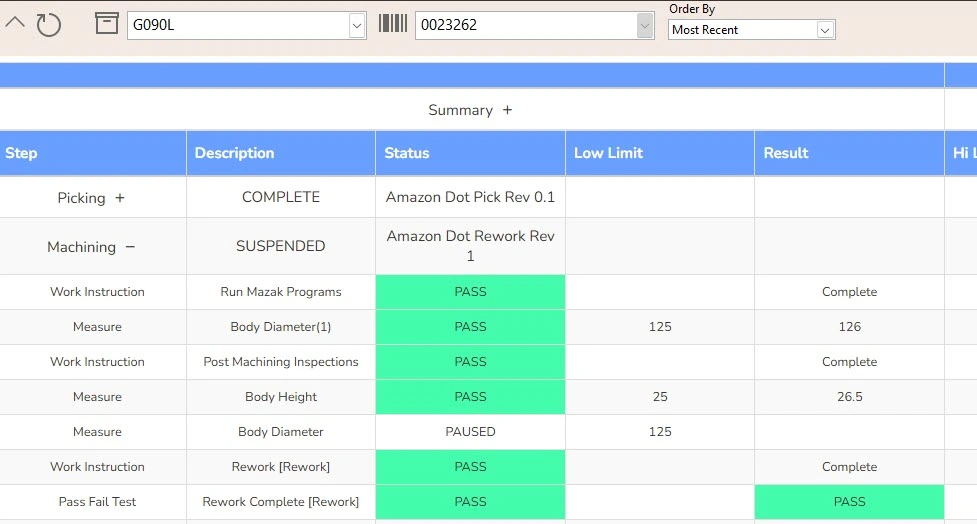
When each rework sequence runs, the text [Rework] will be added to each step name from the sequence this will help to distinguish [Rework] steps from normal production steps.
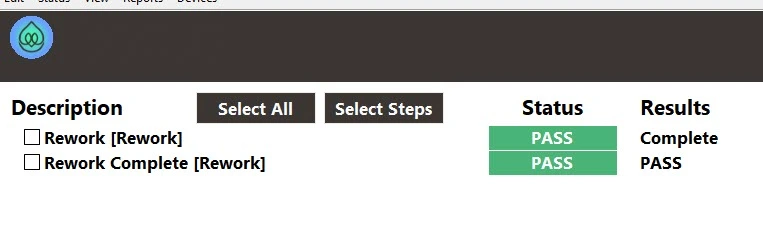 Rework Results
Results for Manufacturing Operation Rework will be appended under the manufacturing operaiton in the product report.