
Takes a weight reading from a connected Sauter or Kern scale, compares it against configurable high and low limits, and returns a pass/fail result to the sequence.
Overview
The Weigh Scale Measure step reads a stable weight from a connected serial scale, evaluates it against a low and high limit, and records the result against the build.
Use it wherever a part or assembly must fall within a defined weight window — for example, confirming a fill quantity, checking a completed assembly against a reference mass, or catching missing/extra components by weight.
Returns: measured value, unit, the limits applied, and a pass/fail outcome.
Supported hardware
Sauter serial scales (RS-232 / USB-to-serial)
Kern serial scales (RS-232 / USB-to-serial)
Sauter and Kern are the same manufacturer group and share a common KCP-style serial command protocol, so a single step type covers both via the connection configuration below. [confirm] Exact models tested and confirmed working.
1. Connection configuration (COM port)
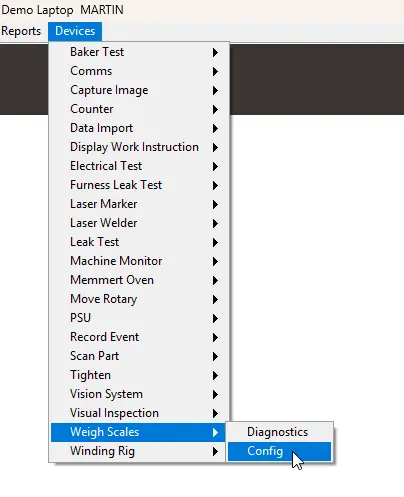
Set up once per scale, on the station where the scale is connected. Opens from the step configuration / device settings.
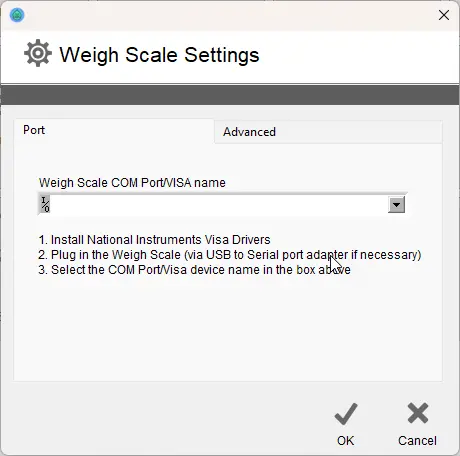
Setting | Notes |
|---|---|
COM Port | Serial port the scale is connected on (e.g. |
Baud rate | 9600 |
Data bits |
|
Parity |
|
Stop bits |
|
Unit | Set in scale |
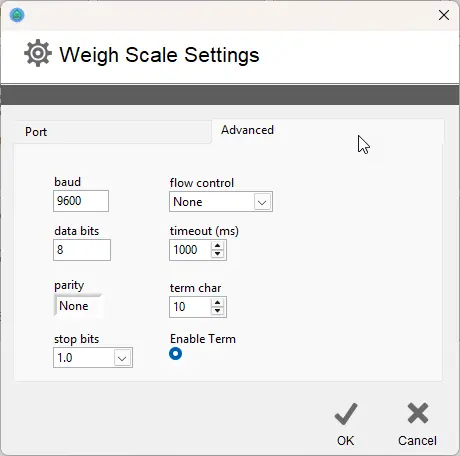
Note on where the port setting is stored (station-level config) and that it does not travel with the sequence between stations.
2. Diagnostics
A diagnostics screen to confirm communication before the step is added to a production sequence.
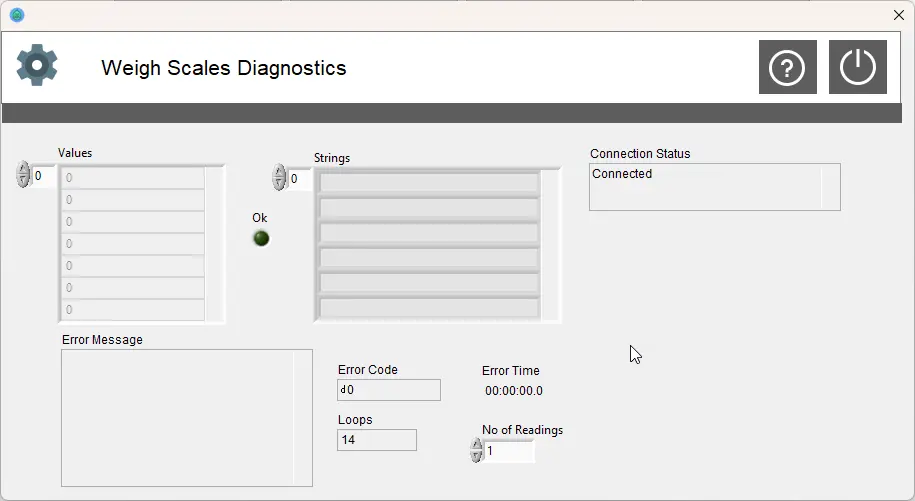
Shows:
Connection status (open / no response)
Live weight reading, updating
Stability indicator (stable vs. settling)
Raw response from the scale — useful for confirming protocol/parsing
Test read action
Use this to verify wiring, port, and baud settings return a sensible, stable value before relying on the reading in production.
3. Add to a production sequence
Add a Weigh Scale Measure step at the required point in the sequence.
Set the limits:
Setting | Notes |
|---|---|
Low limit | Minimum acceptable weight |
High limit | Maximum acceptable weight |
Unit | Must match the configured/read unit |
Traceability — data captured
Each execution records against the build:
Measured value and unit
Low and high limits applied
Pass / fail outcome
Timestamp
